Chapters
Chapters
← Documentation · Previous: Reading and writing · Next: Story and world
Chapters are the reason this app exists. Everything else follows from them.
The problem chapters solve
A long story run as one conversation gets expensive and then gets stupid. Either you keep sending the whole thing — paying more per reply every day, until you hit the context limit — or something quietly starts dropping the oldest messages, and the model forgets a promise made in the first hour.
A book does not have this problem, because a book is written in chapters and each chapter carries forward only what mattered.
So: only the chapter you are writing is ever sent to the model. Everything before it reaches the model through the story so far — one readable page of summary that the model itself rewrites, each time you close a chapter. A story on chapter forty costs the same per reply as one on chapter one.
A chapter is three things
The scene it opens on, the conversation, and the summary it closes with. All three live in one
file, data/chapters/<id>.json.
The scene
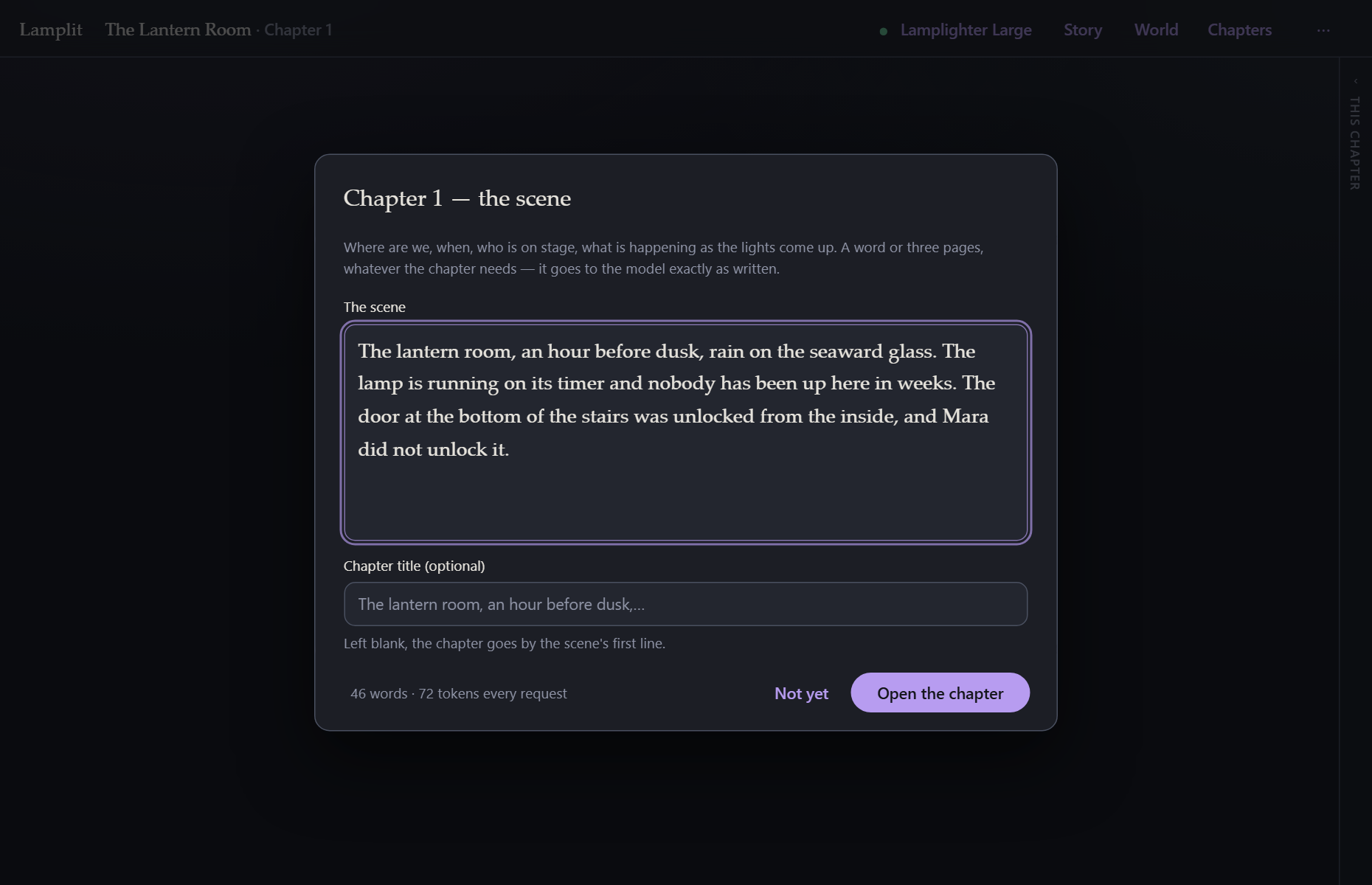
A chapter cannot be written into until its scene is written. It is the only thing the app insists on, and any non-empty text passes.
It is deliberately one plain-text field rather than a set of boxes for time, place and mood. A scene heading in a playscript is free text; the model reads prose perfectly well; and any schema imposed here would be a schema somebody has to fight. Write two words or two paragraphs.
The scene is sent verbatim, and it sits last in the system prompt, closest to the conversation — it is the immediate setting, so it should be the freshest thing the model read.
It is fixed once written but never locked. Edit scene in the chapter toolbar (or ⋯ → Edit this scene) is always available, and because the prompt is rebuilt from data every time, an edit takes effect on the very next reply without touching a word of what has already been written.
The chapter title is optional. Left blank, the chapter goes by the scene’s first line.
Closing a chapter
When a chapter has done what it came to do, press Close chapter in the toolbar under the story.
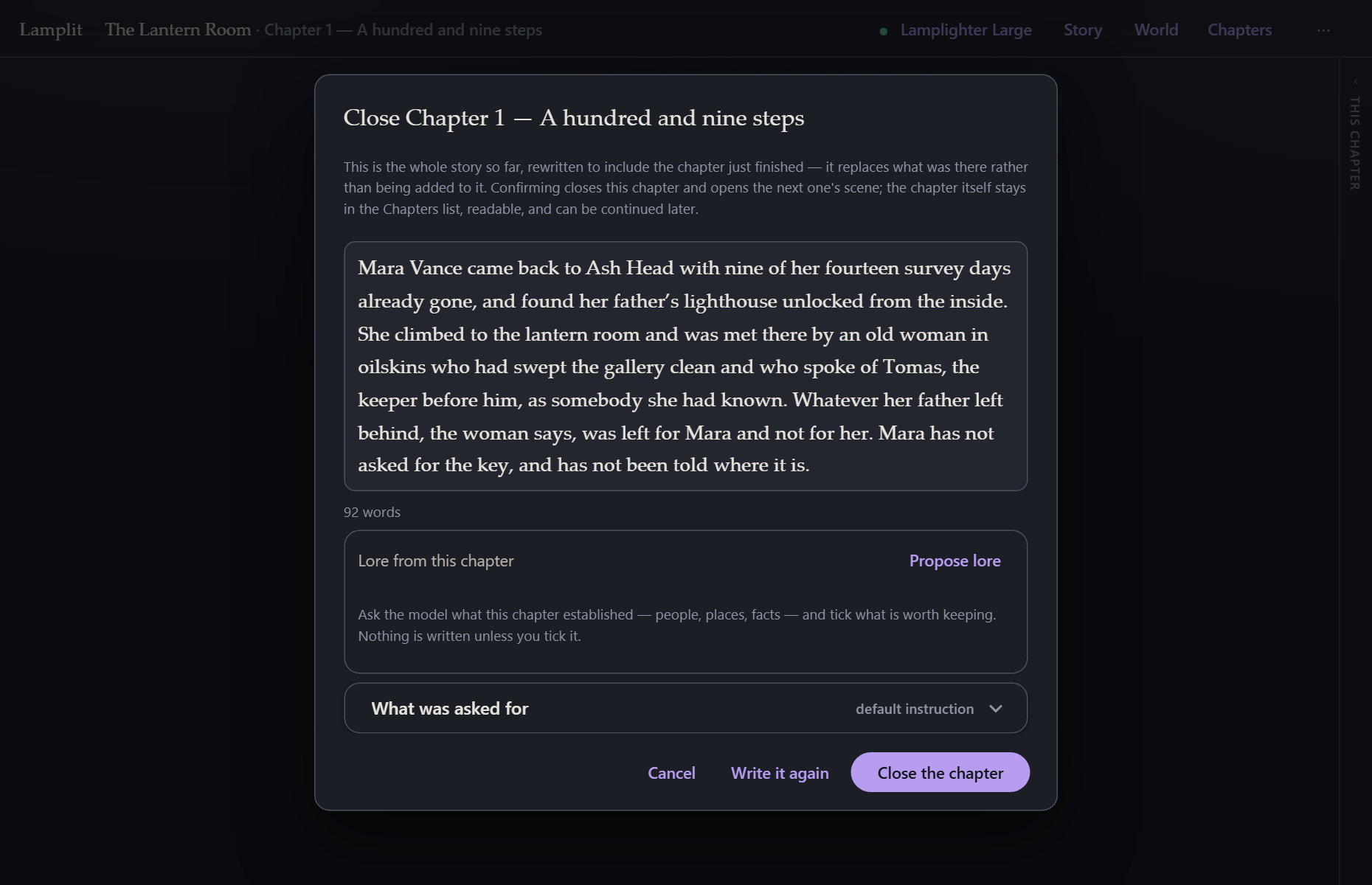
The model is handed the story so far as it stands, plus this chapter’s scene and everything written in it, and asked for the whole summary back with this chapter folded in — not an addition to it. That is the important part: the story so far stays one readable page however long the story runs, instead of growing a paragraph per chapter until it is the problem it was meant to solve.
What comes back is yours before it lands:
- Edit it in the box. It is just text.
- Write it again if you did not like it.
- What was asked for opens the instruction that produced it, and lets you replace it for this story (the same switch as World → How a chapter is folded in).
- Cancel leaves the chapter open and changes nothing.
Close the chapter does three things: marks the chapter closed, replaces the story so far with the new summary, and opens the next chapter’s scene sheet — pre-filled with the scene just closed, because the next chapter is usually the same place a moment later.
Nothing is thrown away. The closed chapter keeps every message and its own copy of the summary it produced.
Lore from the chapter
The summary keeps what the story needs to make sense. It cannot keep everything — a name in passing, the town an hour up the coast, who owes whom — and that is what lore entries are for. The model that has just read the chapter can propose them.
Propose lore in the review sheet asks for them, and reads the same chapter the summary read. What comes back is a checklist, not a change:
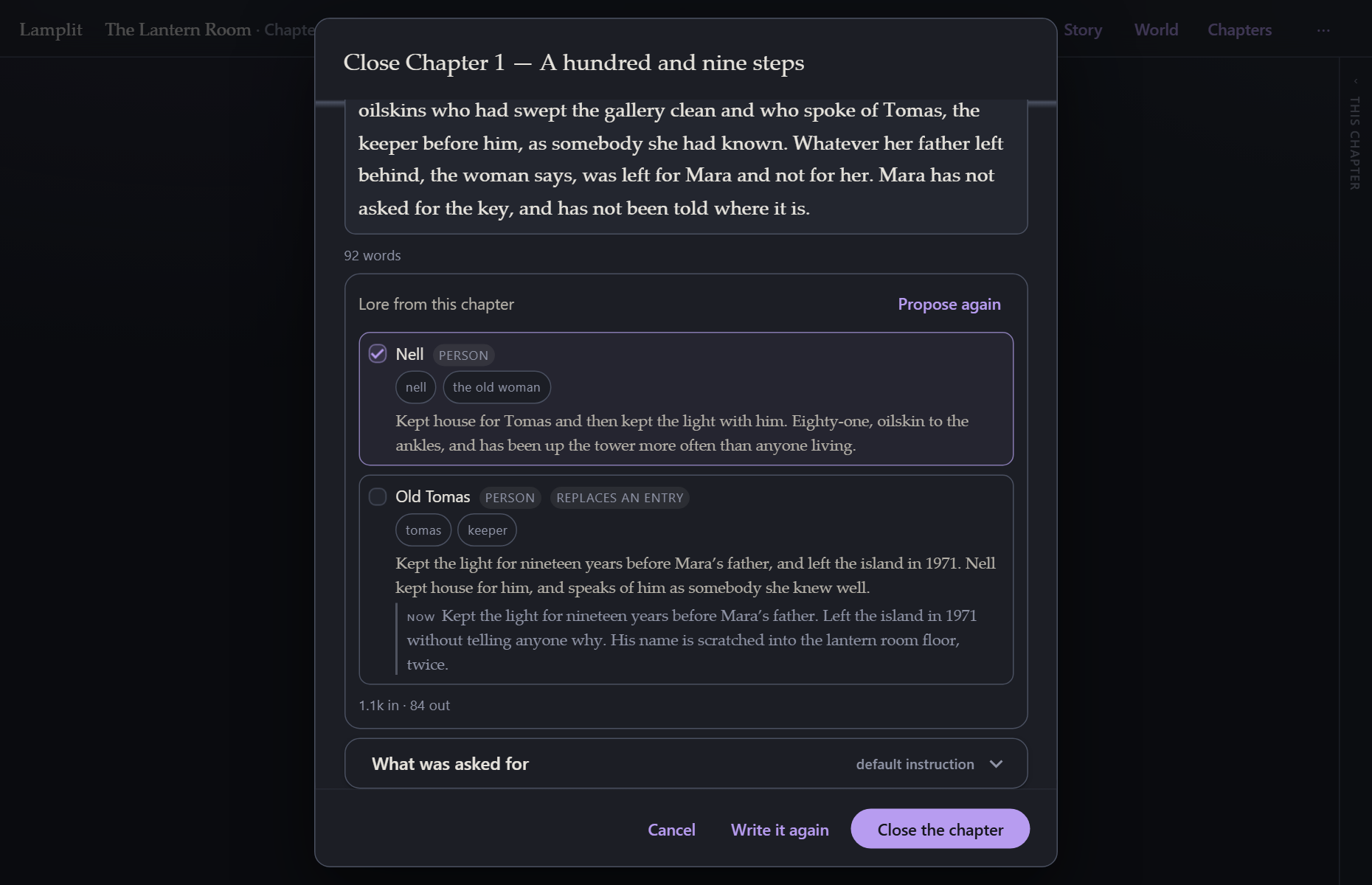
- Each proposal shows its title, its kind, its keys as chips and what it would say.
- New entries arrive ticked, because a new entry only adds and one you did not want is a single deletion away.
- An update arrives unticked, and shows the entry’s current text under the proposed one. It overwrites something you wrote, so it waits to be asked.
- Close the chapter files what is ticked and nothing else. Cancel files nothing at all.
A filed entry is enabled and not always-on, and it is a lore entry like any other from then on: edit it, key it differently, switch it off. An update keeps everything the request never asked about — its id, whether it is on, whether it is always on, its own scan settings.
Off by default. It is a second request and a second bill on a step that used to make one, so the button is how you ask for it. World → Story so far has a switch — When a chapter closes, propose lore entries from it — that runs it on its own every time the sheet opens. Either way nothing is written without a tick.
If the request fails, or the model answers with something that is not entries, the sheet says so in one muted line and the close goes ahead as it always did.
New chapter
⋯ → New chapter is the same act from the other end. If the chapter you are in has anything written in it, starting the next one closes it first, so a story always carries forward as summary rather than as transcript. A chapter with nothing in it, or one already closed, just opens the scene sheet.
The chapters list
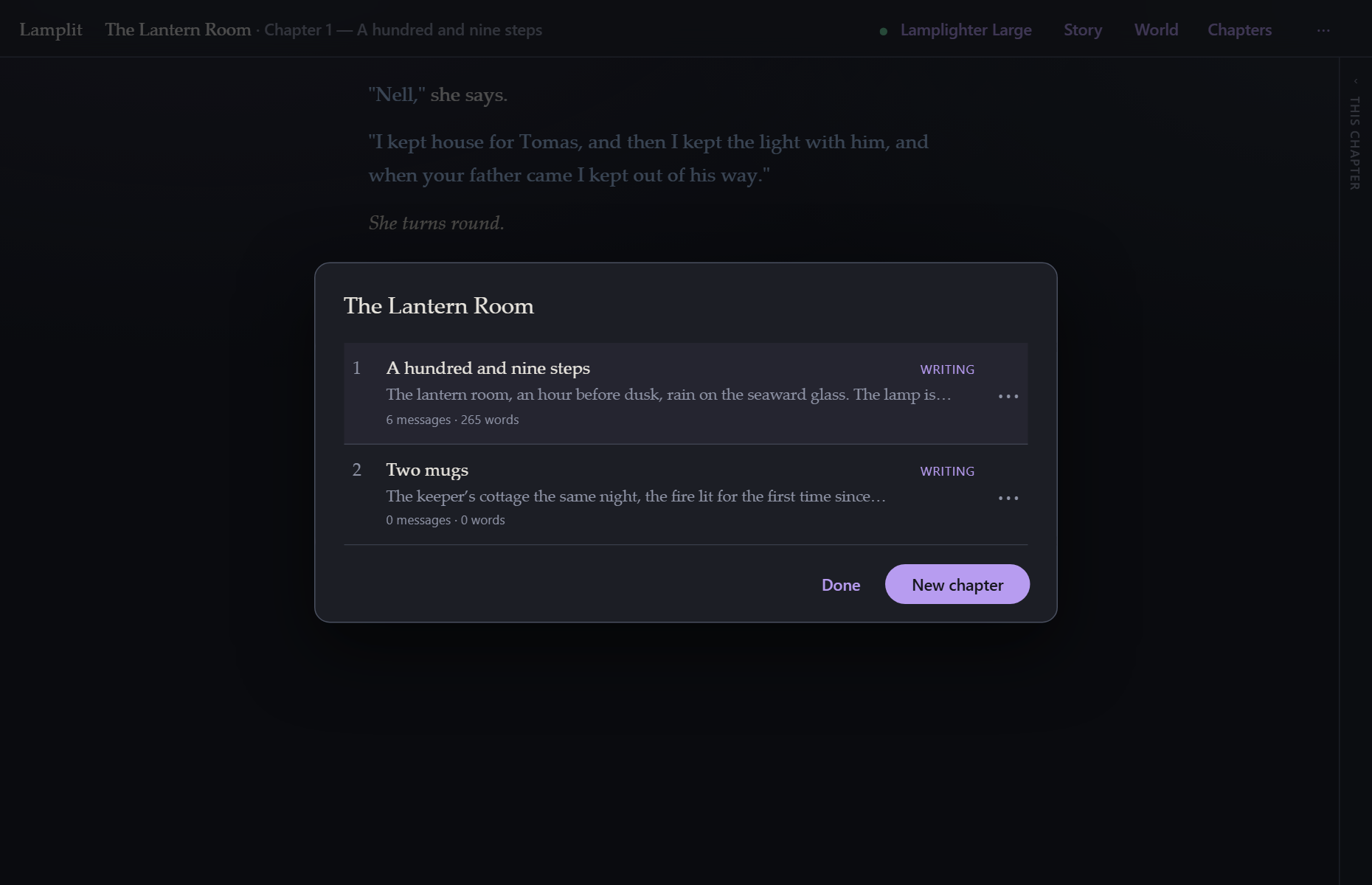
Chapters in the top bar lists them all: number, title, the first line of the scene, and how much is in it. writing or closed on the right.
From here you can open any chapter to read it, continue a closed one (which flips it back to writing and reopens the composer), edit its scene, retitle it, or delete it.
Chapter numbers are permanent. They only ever go up. Delete chapter 2 and chapter 3 is still chapter 3 — because when you say “chapter 3” you mean a particular piece of text, not the third item in a list.
Reading a closed chapter
Open it from the list and it is there, complete, read-only. The composer is replaced by Chapter 2 is closed — continue it, which is one click away if you change your mind.